BopMusic: Handwritten Jazz Notation with Punch and Clarity
A complete handwritten music font package for Dorico, Finale v27+ and MuseScore 4.6+ — designed to give modern scores the punch, clarity and personality of hand-copied jazz notation.
1 SMuFL Music Font
11 Jazzy Text Fonts
Dorico
Finale v27+
MuseScore 4.6+
MacOS & Windows
A Bold Handwritten Jazz Score Style for Modern Notation
BopMusic brings the lively feel of handwritten jazz notation into a professional SMuFL workflow. It is made for arrangers, composers, educators, copyists and publishers who want scores that feel direct, musical and ready for the stand.
The font has a strong copyist character: confident noteheads, energetic text, practical articulations and a handwritten page color that works especially well in jazz, commercial music, rhythm-section writing and educational material.
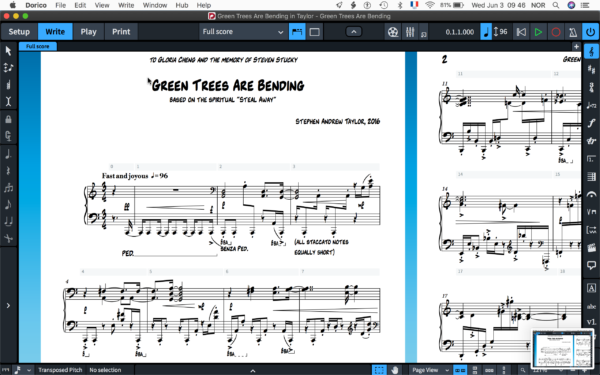
Because the package includes both music and text fonts, the whole score can share one consistent BopMusic identity — from the first clef to the final rehearsal instruction.
12 Fonts: 1 SMuFL Music Font + 11 Jazzy Text Fonts
The BopMusic package includes one SMuFL-compliant music font and 11 jazzy text fonts. This makes it possible to style the notation symbols, score text, rehearsal marks, titles and directions with a unified handwritten look.
BopMusicSMFL
A handwritten SMuFL music font with more than 1300 music symbols, designed as an alternative to Bravura, Petaluma, Finale Maestro, Finale Jazz and Finale Broadway-style workflows.
11 Jazzy Text Fonts
Matching BopMusic text styles for score directions, boxed text, subtitles, default text, music text, paragraph styles and other notation typography.
The result is a complete handwritten score system, not just a replacement for noteheads and clefs.
Built for Dorico, Finale v27+ and MuseScore 4.6+
BopMusic is designed for MacOS and Windows. After installation, you can select it inside your notation software and keep editing your score directly in your normal workflow.
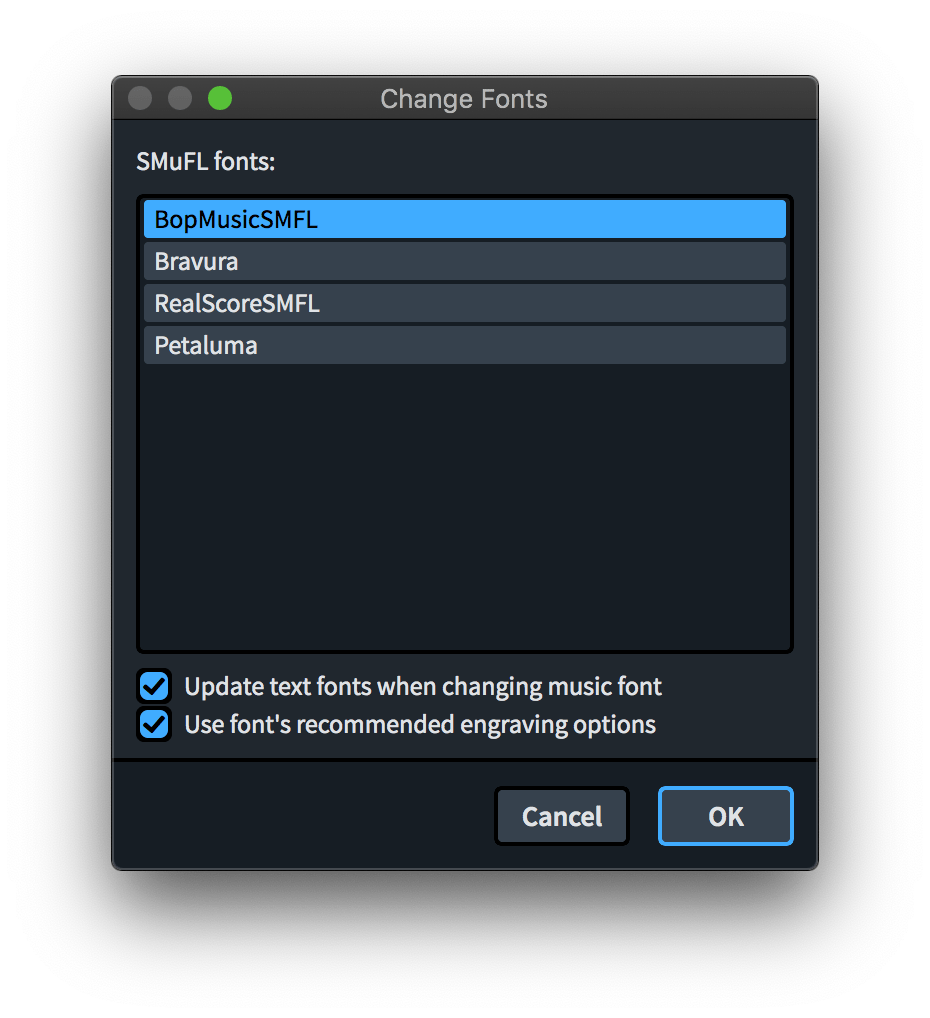
In Dorico, the included metadata lets BopMusic appear in the available music font list. In Finale v27+, it can be selected from the default music font settings. The package is also listed for MuseScore 4.6+ workflows.
Jazz Copyist Energy with a Practical Page Feel
BopMusic is made for users who want a score to look less mechanical and more like a working jazz chart. Its handwritten style is bold, compact and energetic, but still clear enough for performance, teaching and publishing use.
It is especially useful for lead sheets, big band charts, rhythm-section parts, piano-vocal scores, blues examples, jazz education and projects where the visual style should support the musical groove.
Enclosed, Underlined and Overlined Text Styles
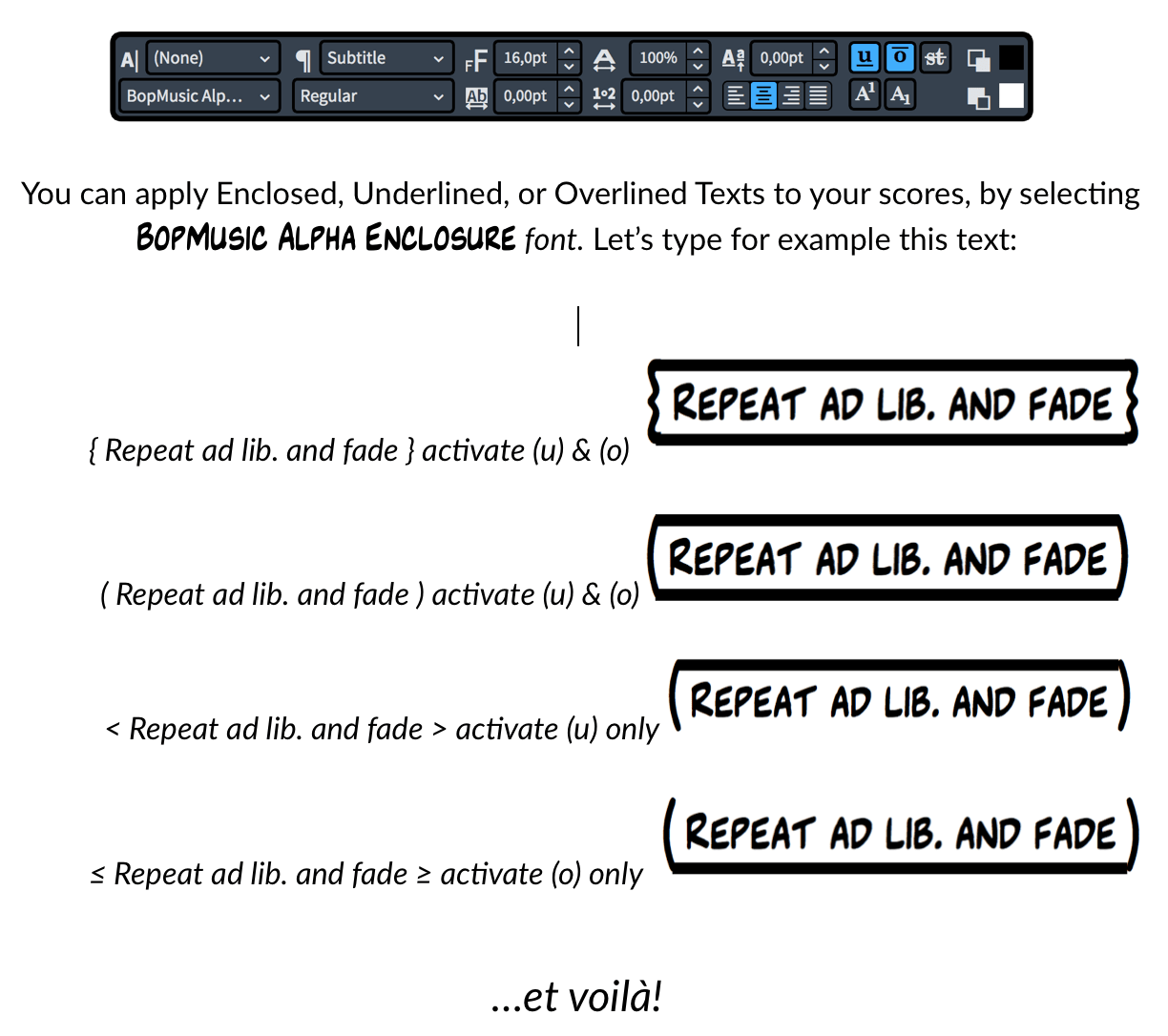
BopMusic includes special text behavior for creating enclosed, underlined and overlined markings in Dorico on MacOS. This is useful for the kind of boxed instructions and performance directions that appear constantly in jazz and commercial music charts.
Explore BopMusic in Lead Sheets, Big Band Scores and Parts
The sample PDFs show BopMusic across familiar jazz and commercial-music contexts, including a Gershwin score, lead sheets, a big band score and individual rhythm-section and brass parts.
Easy Installation on MacOS and Windows
BopMusic comes with two installers, one for MacOS and one for Windows. Once installed, Dorico can find the BopMusic metadata and list the font among available SMuFL music fonts.
Install BopMusic
Run the installer for your operating system and install both the SMuFL music font and the included text fonts.
Change the Music Font
Select BopMusicSMFL inside Dorico, Finale v27+ or MuseScore 4.6+ so the score adopts the handwritten SMuFL symbols.
Match the Text
Use BopMusic Alpha and the BopMusic text fonts for default text, paragraph styles, character styles and music text.
Where BopMusic Shines
BopMusic is a strong choice for scores that need the clarity of digital notation and the personality of a handwritten jazz chart.
- Jazz lead sheets
- Big band scores
- Rhythm-section charts
- Guitar and brass parts
- Piano-vocal material
- Blues and bebop examples
- Educational worksheets
- Publishing projects with handwritten character
BopMusic is ideal when you want a score to feel practical, rhythmic, player-friendly and connected to the tradition of handwritten jazz notation.
Ready to Give Your Scores a BopMusic Voice?
BopMusic is available from NorFonts as a 12-font handwritten SMuFL package with one music font, 11 jazzy text fonts, MacOS and Windows installers, and support for Dorico, Finale v27+ and MuseScore 4.6+.


